Ski Resort Trail Maps & GPS Data
True coordinates on an untrue map: mapping real GPS data to ski resort trail maps.
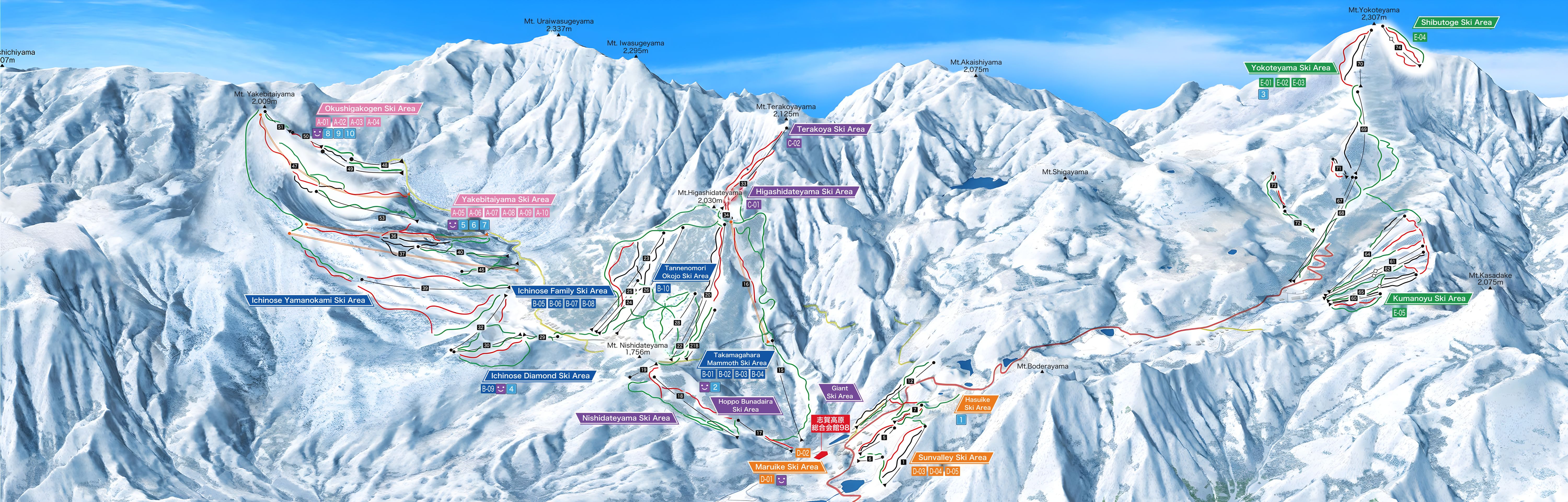
Ski resort trail maps are the standard way that ski resorts show their layout, and have become a niche art form with well-recognised artists (Heinrich Berann, James Niehues). Oblique panoramas like this were traditionally painted by hand, but now will increasingly be computer-rendered. This page is me noodling around with these maps and modern AI tools.
I have skied at Shiga Kogen, Japan – the resort’s official trail map is below.
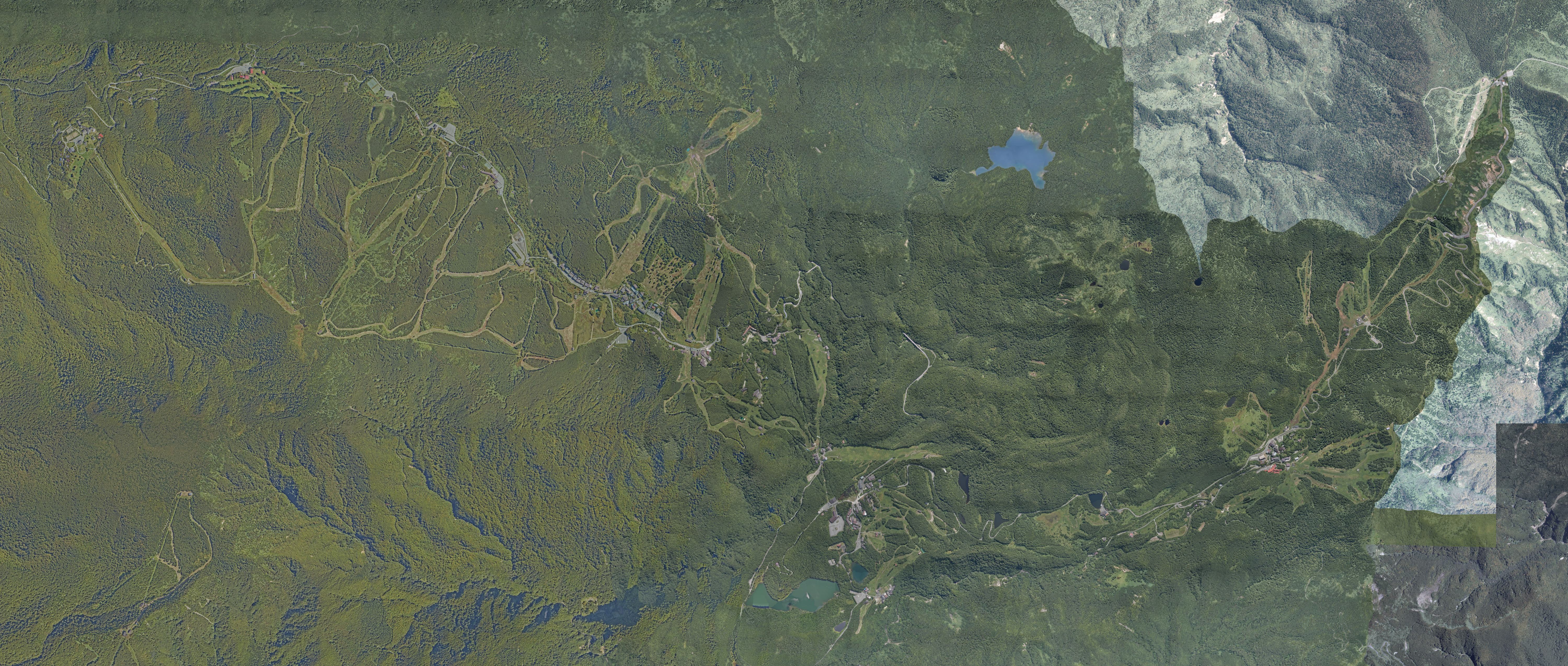
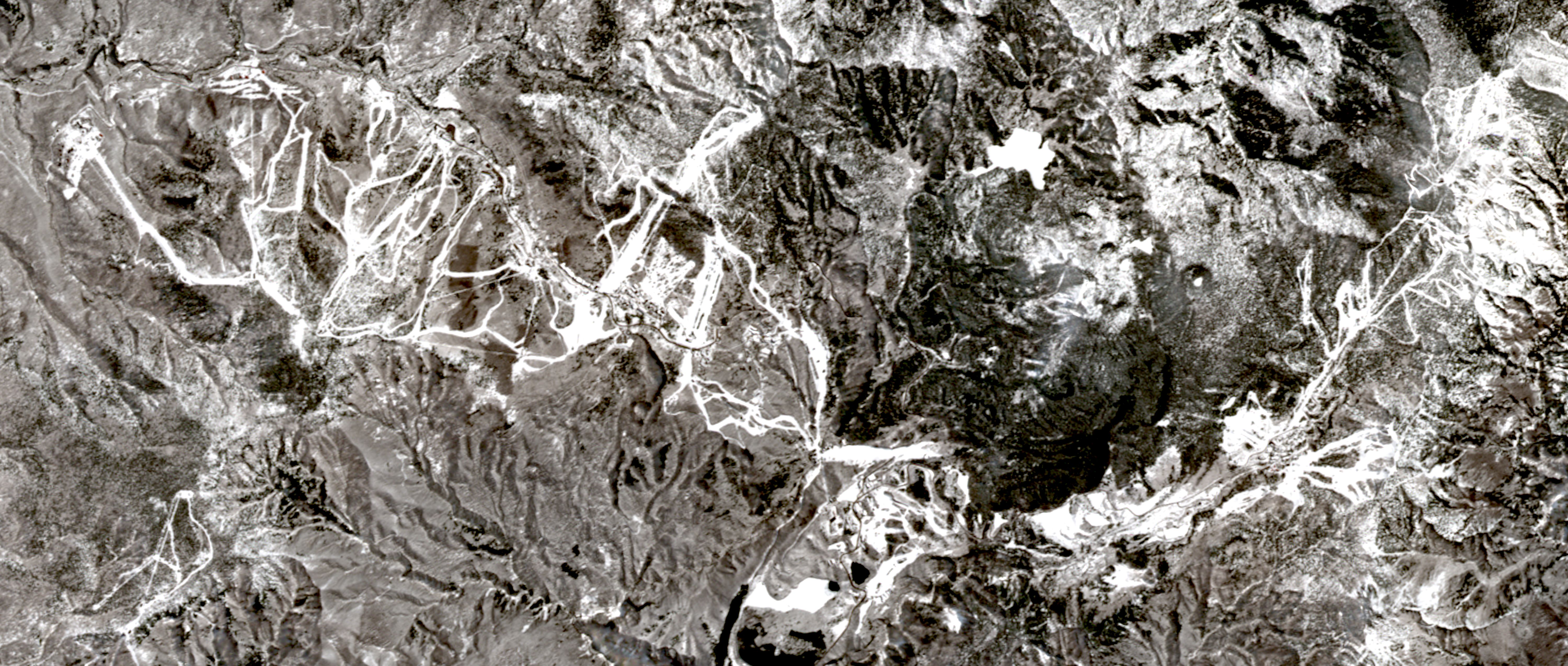
Shiga Kogen, in Nagano Prefecture, is one of Japan’s largest ski areas: 18 areas on one lift pass, about 45 lifts and 400 ha of terrain between 1,325 m and 2,307 m, and a venue of the 1998 Winter Olympics. Below is a satellite image of the resort from above, turned so north is on the left, matching the painting, which looks east.
The map is the territory
I thought it would be fun to apply GPS tracking data to the trail map. Normally this would be a complete waste of time, but with modern AI coding tools it is now a feasible side project.
The mapping is built in steps:
- Match points. Find features visible on both the painting and real map data: every lift’s top and bottom station and the named peaks (88 in total), each with a true 3D position from the terrain model.
- Fit a camera. Solve for the one viewpoint, direction, lens and vertical stretch that best reproduces those 88 points. This gets the overall perspective right, but is still about 66 px off.
- Warp the rest. Add a smooth correction, pinned at the 88 points, for the artist’s local distortions.
- Snap to the painted runs. Nudge the mapping so OpenStreetMap’s ski runs land on the painted run lines (median error 8.5 → 3.5 px).
- Draw the GPS. Drop each GPS fix onto the terrain, push it through the mapping to a pixel on the painting, and place lift rides along the painted lift lines.
Conclusions
Fitting a camera to a hand-painted panorama, warping it, and pinning thousands of GPS fixes onto it is the kind of thing that would once have been a research project. I built this over two days of tinkering with Claude Code: Claude Opus 5.5 planned and wrote most of it, and Claude Sonnet 5.5 sub-agents handled research, reviews and parallel pieces of work. I described what I wanted, looked at the results and pushed back; the models found the data sources, wrote the Python and JavaScript, ran the fits and checked their own output.
- Time
- 2 days, about 7 hours of active work
- Model turns
- 1,157 (748 Opus, 409 Sonnet)
- Tokens
- 271 million, 98% of them re-reads of cached context
- API-equivalent cost
- about US$93 (Opus $79, Sonnet $14)
Counted from the Claude Code session logs, priced at Anthropic API list rates on 1 October 2026 (Opus 5.5: $4 / $20 per million input / output tokens; Sonnet 5.5: $2 / $10; cache reads $0.20). I used a subscription, so this is what the same work would cost through the API, not what I paid.
Pipeline
Inputs
- Painting 3,000×961
- DEM (GSI 1 m)
- OSM lifts + pistes
- GPS (lat, lon, t)
Fit · offline · Python
1 Control points
- cv2 ink threshold
- open 3×3, components
- 86 candidate markers
- hand-matched to OSM
- + 9 peaks = 88 pairs
OpenCV
2 Camera fit
- pinhole, 10 params
- heights × e
- least_squares
- soft-L1, bounded
- multi-start init
SciPy
3 Thin-plate spline
- paint − camera
- over ground (x, z)
- RBFInterpolator
- thin_plate_spline
- weighted smoothing
SciPy
4 Chamfer refine
- distanceTransform
- per run colour
- 114 Gaussian nodes
- least_squares
- analytic Jacobian
OpenCV · SciPy
Portable
5 Lookup grid
- portable copy of M
- 40 m lat/lon grid
- 182 × 360 nodes
- u, v × 10 as ints
- 709 KB JSON
NumPy
Tracks
6 Render
- GPS projected offline with M
- resampled to 5 s
- packed Int16 u, v, state, km/h
Canvas 2D draws
The full method, data sources and a replication-grade specification are on the Methodology page.